76%
of recipients report higher trust rates

Trust-ready outreach
The Verified Professional badge and credential profile help recipients quickly see that they've heard from a real professional—not AI, bots, or low-quality outreach.
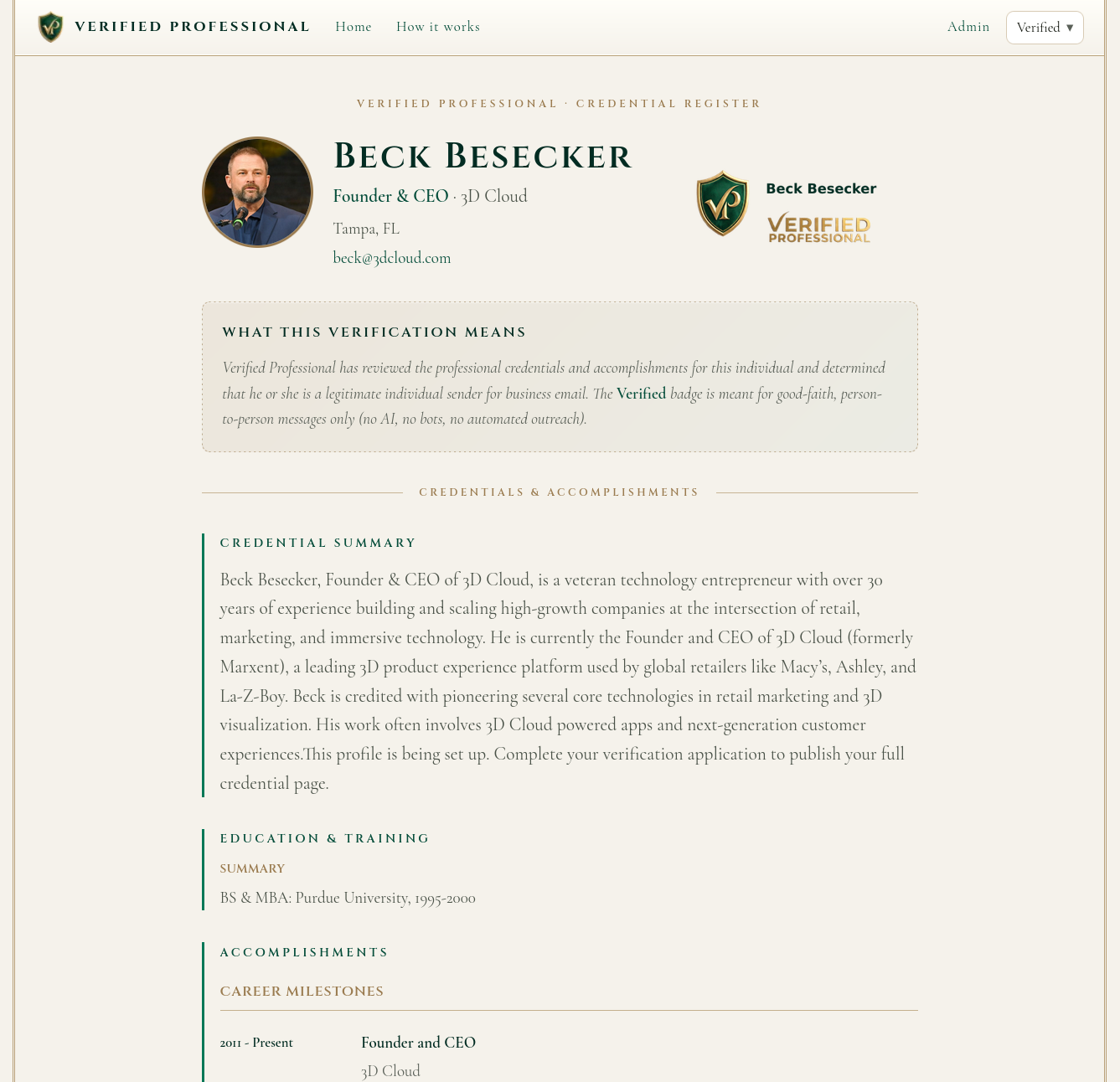
Email is still one of the most important forms of outreach for business development and other professionals. Unfortunately, AI, bots, scammers, and low-quality BDRs are making it increasingly hard for recipients to identify a true professional.
The Verified Professional badge and profile is designed to set you apart with a clear trust signal in ever more crowded inboxes.
Sign up today and we'll build you a high quality professional profile complete with an executive summary, career milestones, press, public appearances, publications, as well as awards and recognitions. We'll notify you when your profile is complete and then you can add The Verified Professional badge to your email signature.
Research shows that the number one way email recipients assess the trust and quality of a communication is through trust anchors—familiar logos and other visual assets that quickly tell the recipient they've received a genuine message. Recipients are more than two times more likely to perceive an email as legitimate when they see a trust anchor. When an email lacks an immediate, observable anchor, it is instantly categorized as low-value and ignored.
76%
of recipients report higher trust rates
50%
increase in read rates
25%
improvement in response rates
Sign up and we'll create a high-quality professional profile you can share with every outbound message.
Sign up today and we'll build you a high-quality professional profile complete with an executive summary, career milestones, press, public appearances, publications, as well as awards and recognitions. We'll notify you when your profile is complete—then you can add The Verified Professional badge to your email signature.
From signup to signature—four straightforward steps.
Sign Up and Provide Basic Info
Apply for Professional Verification
We Verify and Build Your Professional Profile
Add Badge and Profile Link to Email Signature
Create your account with your work email and professional details.
We research and build your credential profile—summary, milestones, press, and more.
We notify you when your profile is ready to review in your dashboard.
Add the Verified Professional badge image and profile link to your email signature.
Your badge is a trust anchor recipients recognize at a glance—backed by a live credential page they can open in one click.
Recipient experience
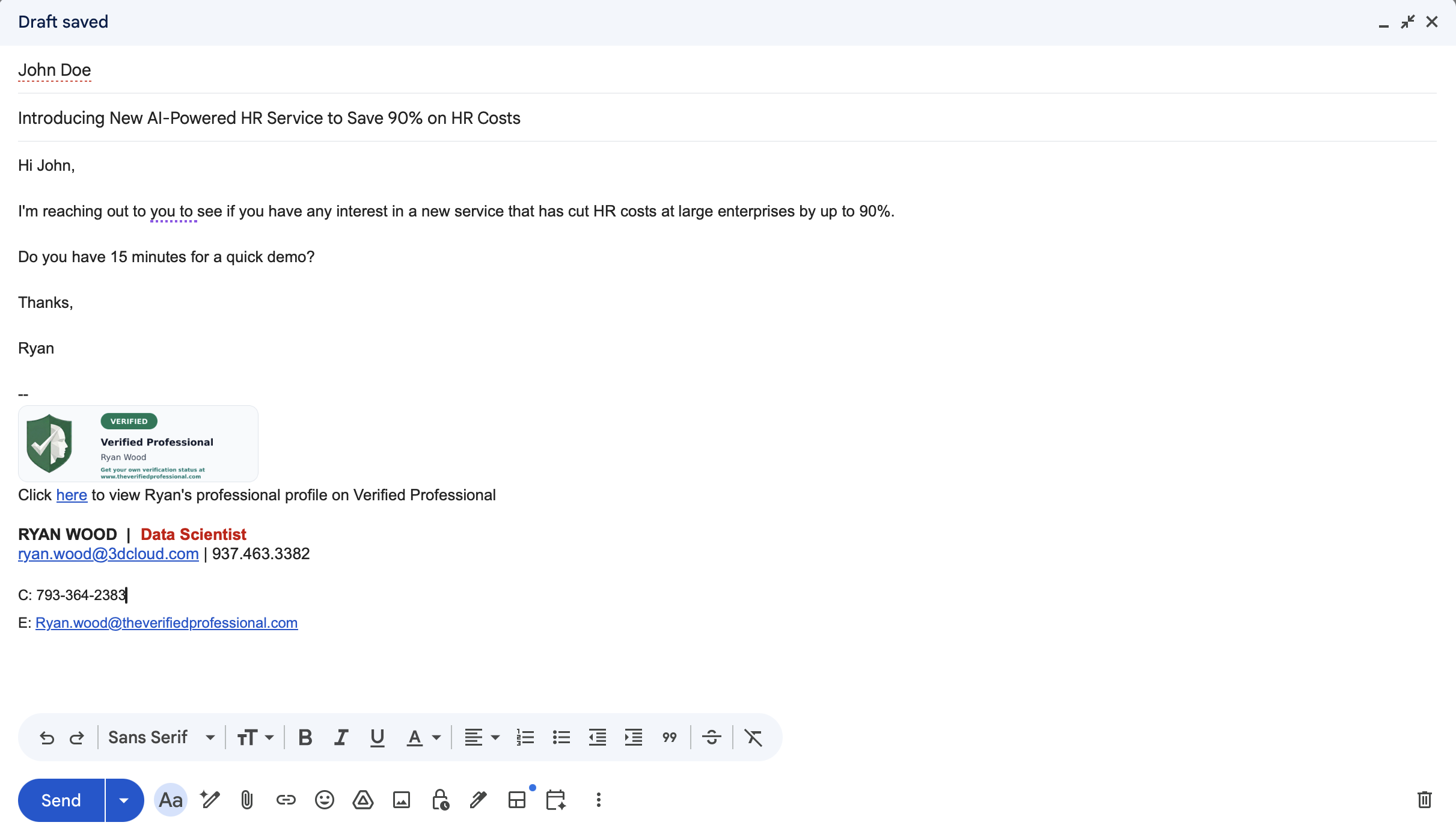
What verification means—and what it does not
Verification reflects our review of your professional credentials at a point in time. The badge is meant for good-faith, person-to-person business email—not AI-generated outreach, bots, or automated campaigns. It is not a guarantee of future behavior, legal compliance, or deliverability.
Transparent handling of status, credentials, and badge behavior.
Badge content is generated server-side. Applicants can see current status and reviewer notes in the dashboard. Public profiles are read-only for recipients.
Get a high-quality professional credential page and the Verified Professional badge for your email signature. We'll notify you when your profile is ready.